Null Void Documentation
Your guide to getting started with Null Void, the privacy-first browser security extension for safer and smarter browsing.
Product Introduction
Null Void is a privacy-first browser extension that protects you from phishing, malware, unsafe downloads, and suspicious websites.
No complex setup. No configuration. Just install and enjoy instant, intelligent protection.
Install Browser Extension
Visit the Chrome Web Store to install the extension:
After installation, you will see the Null Void icon appear in your browser toolbar. Pin it and click it anytime to launch your security dashboard.
Configure Core Features
Null Void doesn’t require complex setup. However, you can customize key features to match your workflow.
[You can configure:]
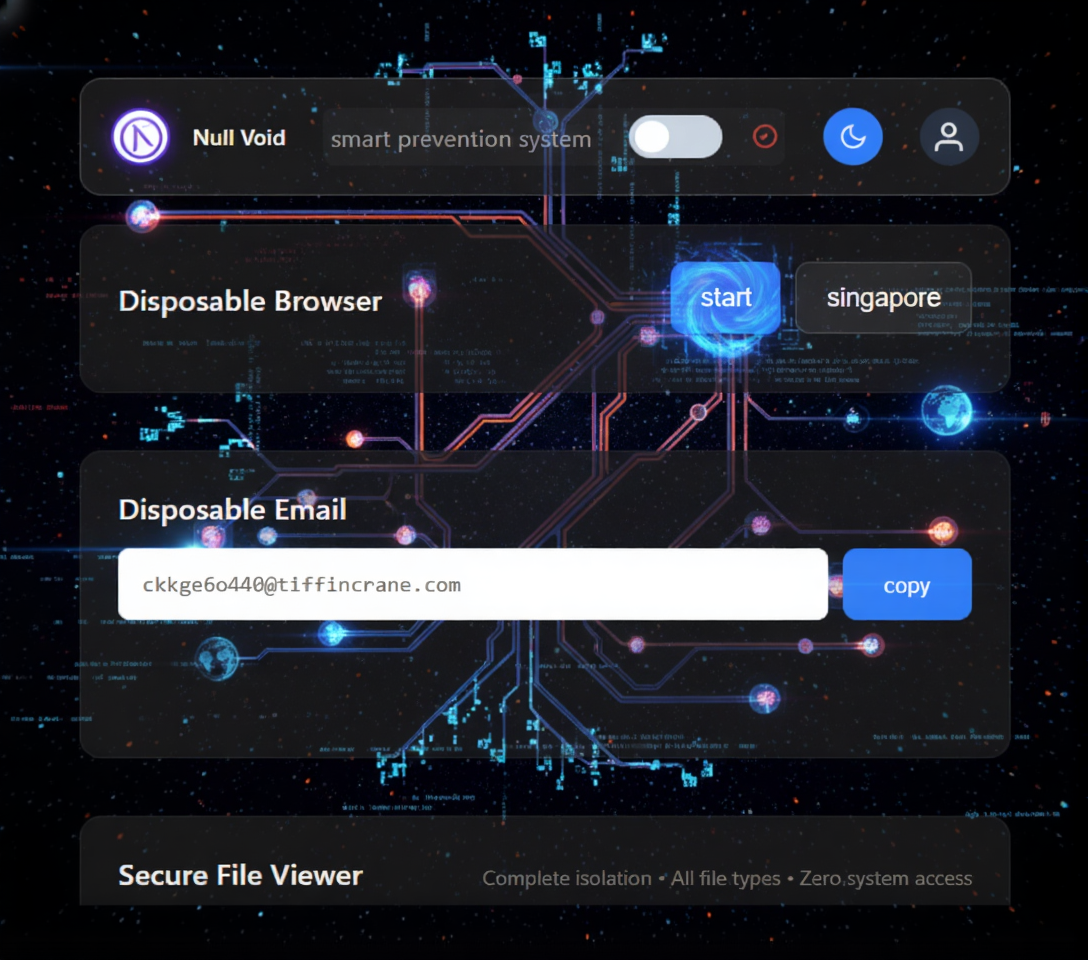
Feature setup steps:
- Protection toggles: Enable or disable threat scanning, malicious domain blocking, and real-time alerts.
- Remote Isolation Options: Choose your preferred isolation region (for example, US, UK, Canada, or Singapore).
- Email & File Tools: Access disposable email creation and secure file viewing directly from the dashboard.
All settings are saved locally in your browser.
Choose Theme:
- You can switch between light and dark mode.
Use the AI Assistant
Click "Full Chat" to open the AI assistant in full-screen mode.
[Ask Security Questions]
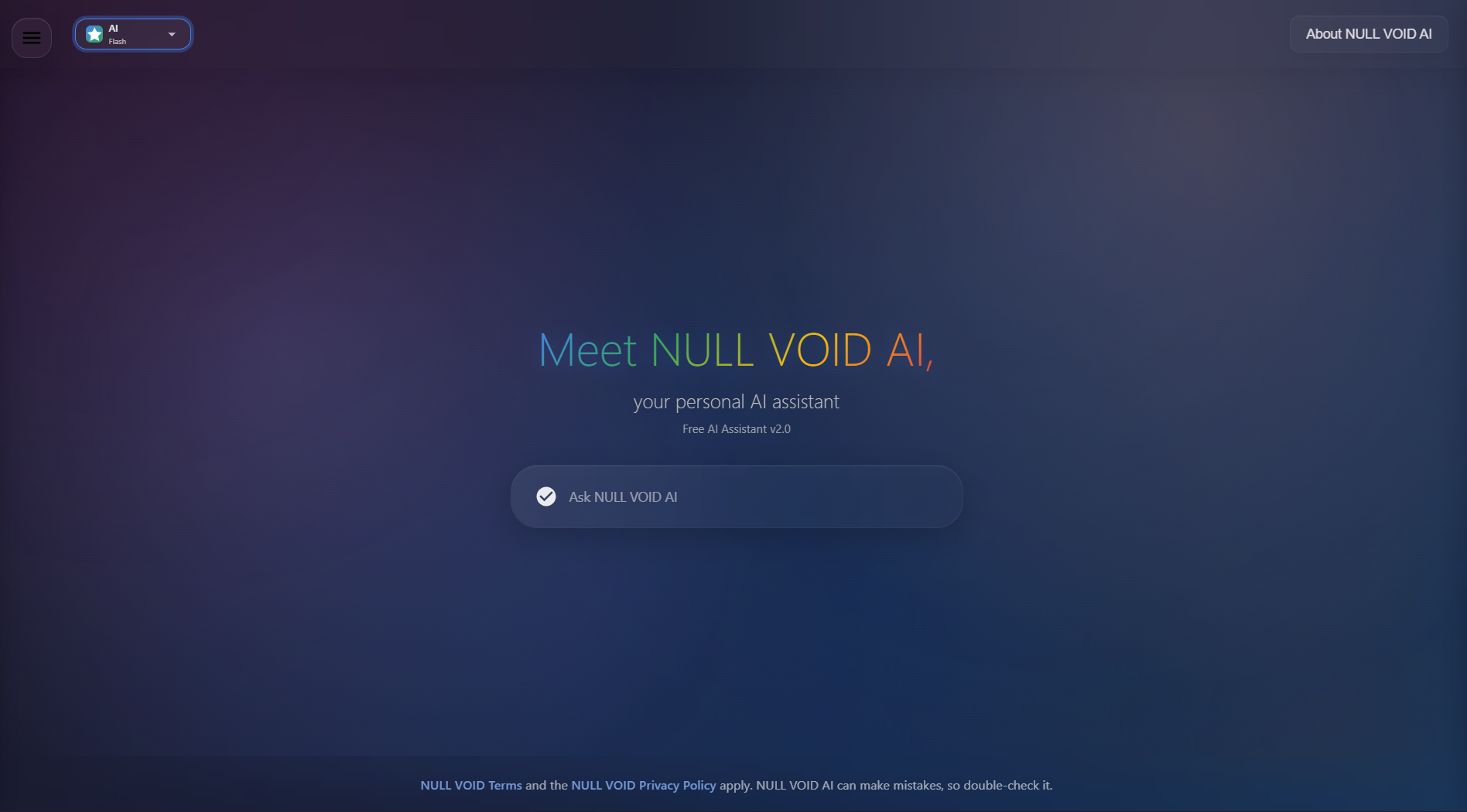
Steps to Use the AI Security Assistant:
- Click Open the AI Assistant Panel
- Enter What You Want to Ask
- Click Send
Use the Secure File Viewer
Open suspicious files in a secure environment without compromising your device.
[Open Secure File Viewer]
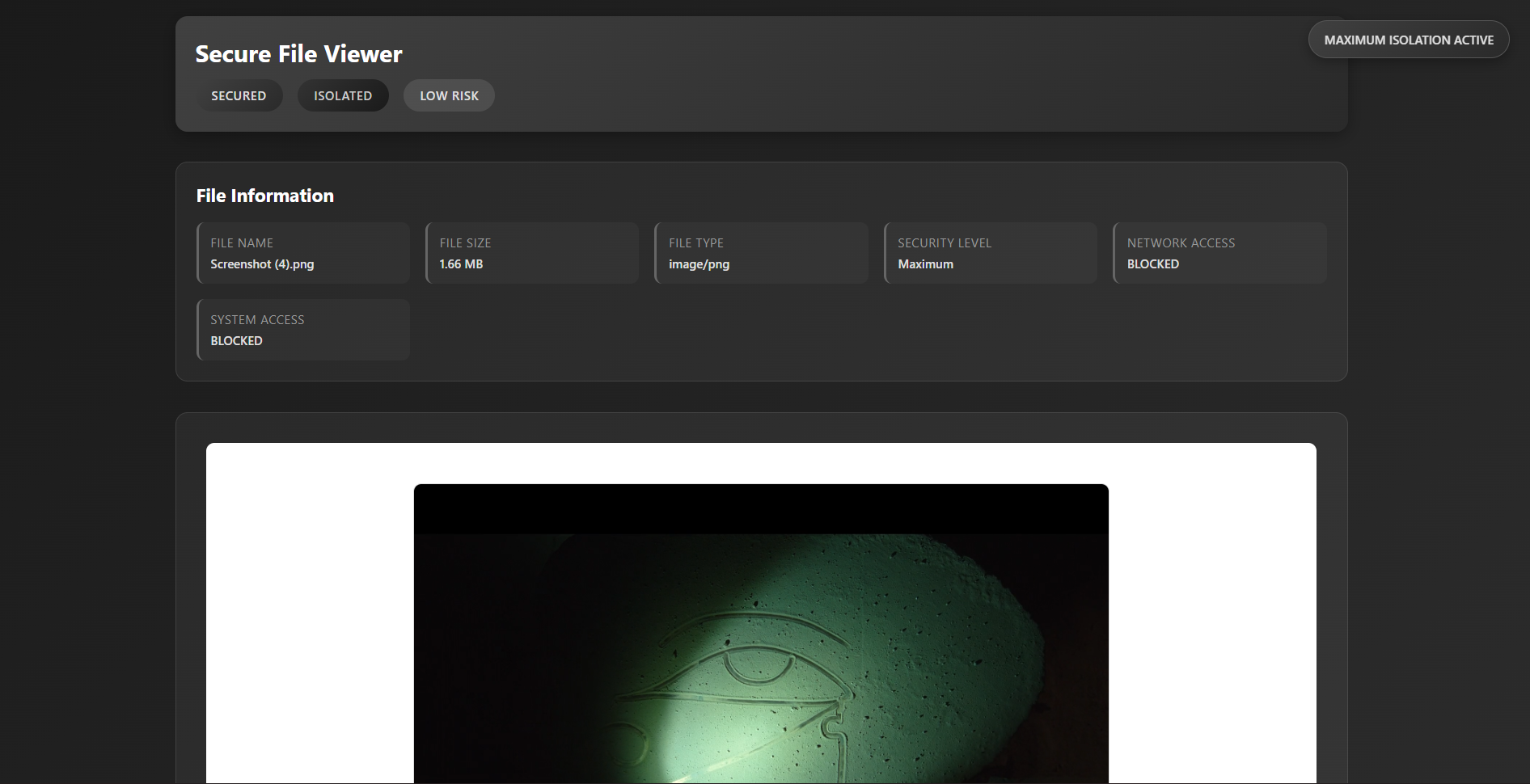
Steps to View a File Safely:
- Click "Secure File Viewer" in the extension panel.
- Select or upload the file you want to inspect.
- The file opens in a sandboxed viewer with no system access.
Frequently Asked Questions
What AI model does Null Void use?
Null Void uses a privacy-safe, security-optimized AI engine designed to analyze suspicious pages, links, and files. It does not store or track your browsing data.
How many websites can Null Void protect?
Unlimited: Protection works automatically on every site you visit.
Is it free?
Null Void follows a freemium model.
Core security features are free, with additional advanced tools available in Premium.
Is privacy secure?
All data is processed locally in your browser. We don't collect your browsing history.
How can I improve protection accuracy?
Keep your browser updated, use the Disposable Browser for risky sites, open unknown files in the Secure File Viewer, and enable security settings for the best protection.